
A single stick of RAM doesn’t cut your frame rate in half — but it can quietly halve your memory bandwidth, and on a laptop with integrated or shared graphics that bandwidth loss shows up directly as lower, less stable FPS. On a gaming laptop with a dedicated GPU and dual-channel memory, the same swap usually costs far less, because the discrete card isn’t fighting the CPU for that same memory bandwidth.
Memory channel and RAM capacity are two separate specs that get bundled together on a spec sheet. A laptop listed with “16GB RAM” might have that as one 16GB stick (single-channel) or two 8GB sticks (dual-channel) — same total capacity, meaningfully different bandwidth. The check that tells them apart takes about a minute, and it’s the first thing worth confirming before blaming a slow laptop on anything else.
Single-channel vs dual-channel: what actually changes
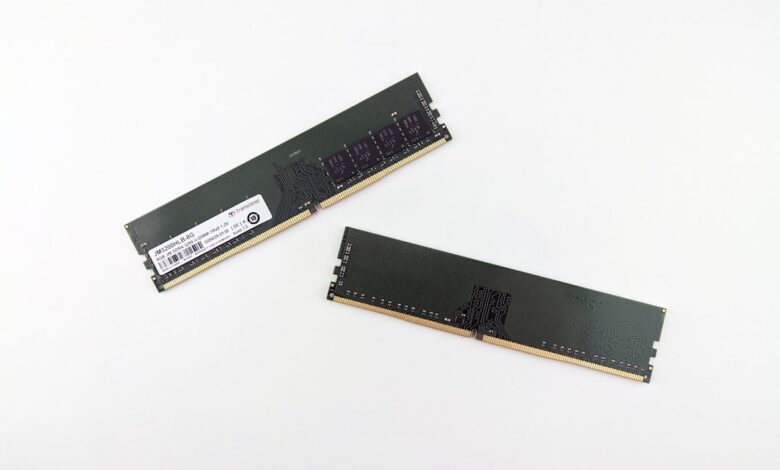
A memory channel is an independent data path between the CPU’s memory controller and the RAM. Populating two channels — normally by using two matched sticks instead of one — lets the controller read and write across both paths at once instead of queuing everything through a single path. Crucial’s own memory-support forum explains the mechanism directly: with two channels active, one controller can read or write data while the second prepares for its next access, cutting the reset-and-setup delay that a single channel has to pay on every access.
DDR5 adds a wrinkle worth knowing: every individual DDR5 module is already internally split into two 32-bit sub-channels, which is why a single DDR5 stick performs somewhat better than a single old-style DDR4 stick would. But a lone DDR5 stick still only populates one of the motherboard’s two physical channels — it is not the same as true dual-channel operation, and the CPU-to-RAM bandwidth ceiling is still roughly half of what two sticks in the correct slots would provide.
Why this hits integrated and shared-memory gaming performance hardest
A discrete GPU has its own dedicated video memory, so CPU-side memory bandwidth mostly affects physics, AI, and asset streaming — real, but usually a smaller slice of total frame time. Integrated graphics and shared-memory configurations have no separate video memory at all; the GPU reads and writes textures and frame buffers through the exact same channel the CPU is competing for. Halving that shared bandwidth by running single-channel is why the FPS hit is largest on integrated-graphics laptops and smallest on discrete-GPU gaming laptops with plenty of dedicated VRAM.
Stage boxes contrasting how single-channel RAM affects discrete-GPU versus integrated-graphics gaming performance
Real-world gaming tests: how big is the actual FPS gap?
Independent benchmark comparisons back up the mechanism. NoobFeed’s single-vs-dual-channel DDR5 gaming comparison, run at matched capacity and clock speed, found the gap was smallest in GPU-bound scenes and largest in CPU-bound ones — in one CPU-limited scene, switching from a single stick to a matched dual-channel pair moved the measured average from 157 fps to a noticeably higher result, with the biggest gains showing up in the 1% lows rather than the average. The takeaway holds across most such comparisons: dual-channel doesn’t just raise the average, it steadies the worst-case frame times, which is what a laptop gamer actually feels as stutter.
How to check your own laptop’s memory channel configuration
Two free tools answer this without opening the laptop.
Checklist showing four ways to confirm single- or dual-channel memory operation without opening the laptop
Should you upgrade to a matched dual-channel kit?
Buyers assume any RAM upgrade helps as long as total capacity goes up. That fails because capacity and channel configuration are independent — going from one 16GB stick to one 32GB stick raises capacity but keeps you single-channel, while adding a second matched 8GB stick to an existing 8GB stick raises bandwidth without changing total capacity at all. For a gaming laptop that’s currently single-channel, a matched pair in the correct slots is normally the higher-value upgrade over a single larger stick, unless the current capacity is genuinely too small for the games or background load in question.
Where Most Buyers Go Wrong
A “16GB RAM” spec line hides whether that’s one stick or two, and single- vs dual-channel is the bigger performance lever for anyone running integrated or shared-memory graphics. Check CPU-Z’s Memory tab before assuming a slow laptop needs more capacity — it may just need a second matched stick in the right slot.
Frequently Asked Questions
Does single-channel RAM really cut gaming FPS in half?
Rarely a literal 50% cut. The gap is largest on integrated or shared-memory graphics, where the GPU and CPU compete for the same bandwidth, and smaller on discrete-GPU laptops with their own dedicated VRAM.
How do I know if my laptop is running single-channel RAM?
Open CPU-Z’s Memory tab and check the “Channel #” field, or check Task Manager’s Performance tab for the number of memory slots in use.
Is more RAM capacity better than dual-channel bandwidth?
It depends on what’s limiting you. If you’re short on capacity, more matters first; if capacity is already sufficient and performance is inconsistent, a matched dual-channel pair usually helps more than adding capacity in a single stick.
